
Thursday Events
ThursdayEvents
3.728.00 Reviews
- Version
- 6.0.7
- Installs
- 100.00K
- Age Rating
- Everyone
Screenshots


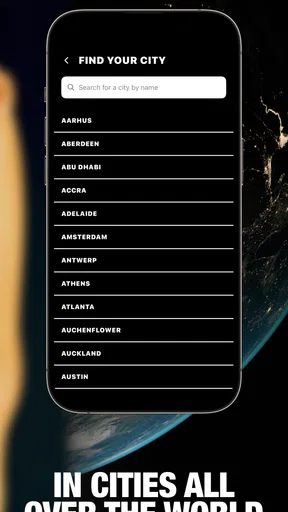
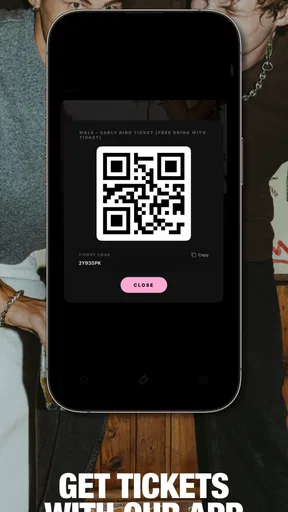


Our Review of Thursday Events
 Analysis by Appyee
I tried Thursday Events with a very specific goal: find something happening nearby, decide whether it suited my evening, and turn that discovery into an actual plan rather than another abandoned idea in my calendar. That distinction matters because event apps often look useful at first but become frustrating when the information is scattered, the location is unclear, or the final step still depends on several unrelated services.
This app, developed by Thursday, belongs to the events category and is free to use. Its purpose is focused: it helps me discover Thursday Events at a designated location. I found that narrow focus both appealing and limiting. It is more direct than browsing a general social network, but it is not a complete replacement for every event platform, ticketing service, or messaging app.
At the time of my review, the Android listing showed a 3.7 average from around six hundred ratings, with more than one hundred thousand installs. Those figures suggest a real user base, although they also hint that the experience is not universally smooth. The app is rated for Everyone, which makes the basic idea approachable, and it is free rather than requiring a subscription before I can explore what is available.
From an empty evening to a possible plan
I use an empty evening as a chance to make a plan, not as a reason to scroll without direction. This section looks at how a designated location can give Thursday discovery a useful starting point, while keeping the next step practical: deciding whether a promising event is worth coordinating around.
Starting with the right expectation
The most important thing to understand is that Thursday Events is not trying to be a universal directory for every kind of activity. The store summary points me toward events connected to a designated location, so I approach it as a discovery tool for a particular Thursday outing. That makes it especially relevant when I already know the area I want to explore but do not yet know what is happening there.
My starting condition was familiar: I had free time, wanted to go out, and did not want to spend half an hour searching across unrelated pages. With a broad event service, I might see concerts, classes, exhibitions, meetups, and commercial listings mixed together. With this app, the useful question is more specific: what Thursday event should I consider at the location available to me?
That narrower question can be a strength. A focused app reduces the mental work of comparing irrelevant results. It also changes who will enjoy it most. I think it suits someone open to discovering an event around a designated place, particularly when the decision is spontaneous. It is less convincing for someone who already has a precise brief, such as finding a family activity at a certain time, locating a specialist conference, or comparing ticket prices across several providers.
Finding the relevant location
The first practical step is to orient myself around the designated location rather than treating the app like a blank search engine. I would not open it expecting a worldwide catalogue. I start by checking whether the place or area I have in mind is represented in the app’s current experience, then I examine the Thursday options connected with it.
This is a useful workflow for a group because it gives everyone a common starting point. Instead of sending friends a vague message saying “what should we do tonight?”, I can first narrow the choice to events associated with the same location. That makes the next conversation more concrete: do we want this event, is the location convenient, and can everyone make it?
One non-obvious trade-off appears here. A designated-location model can make discovery feel cleaner, but it also means the app’s usefulness depends heavily on whether my intended place matches what it presents. If I am willing to travel anywhere in a large city, I may prefer a broad event search with maps and filters. If I want a focused Thursday plan, the narrower approach is easier to act on.
Moving from discovery to a decision
Once I see an event that catches my attention, I treat the app as the first handoff in the planning chain. It helps me move from “there might be something happening” to “this is the option I should investigate.” I pay attention to the location context before getting excited, because an attractive event is not useful if the journey, timing, or meeting arrangement makes it impractical.
This is where I would advise a little discipline. I do not assume that finding an event automatically answers every planning question. I use the app to identify the opportunity, then I verify the details needed for my own decision through the information available in the event flow and any relevant follow-up channel. That extra check is not a criticism of the concept; it is simply the difference between discovering an event and successfully attending one.
For a solo user, the process can end quickly: discover an option, decide whether it fits, and make the necessary arrangements. For a group, the app is only one part of the handoff. I still need to share the choice, collect responses, agree on a meeting point, and make sure everyone understands what we are attending. The app can start that chain, but it does not remove the social coordination involved afterward.
A realistic evening workflow
Imagine that I finish work on a Thursday with no fixed plans. I open the app, look at the events connected to my designated location, and shortlist one that seems realistic rather than choosing solely because it sounds exciting. I then send the event information to two friends, explain why it fits our evening, and ask them to confirm before we commit to travel.
While waiting, I use the location as the anchor for the conversation. We are not debating dozens of unrelated possibilities; we are deciding whether this particular Thursday option works for the three of us. If everyone agrees, the handoff moves from discovery to attendance planning. We arrange when to leave, where to meet, and what information we need to keep handy.
The value here is not that the app magically organizes the entire night. Its value is that it gives the group a shared object to discuss. That is a more useful outcome than endlessly scrolling through generic recommendations. The friction is that the final plan still depends on people responding and on the event information being sufficient for the decisions we need to make.
What happens after the handoff
After I choose an event, I mentally separate three jobs: discovering it, understanding it, and attending it. Thursday Events is most clearly involved in the first job and may support the transition into the second. The third job still belongs to me. I need to manage transport, timing, communication, and any other practical detail required for the outing.
This separation helps prevent disappointment. Someone looking for a full booking and itinerary system may feel that the app stops too early. Someone who mainly struggles to discover a relevant Thursday activity may find that stopping point perfectly reasonable. The app’s usefulness depends on which part of the process is causing the real problem.
I also found this handoff useful for avoiding a common planning mistake: confusing interest with commitment. Saving an event mentally is not the same as confirming that friends can attend. I recommend treating the app as the place where the idea begins, then moving promptly to confirmation. That keeps the discovery stage from becoming another list of plans that never happen.
Where the flow breaks
The biggest weakness is the possibility of a gap between seeing an event and knowing exactly how to act on it. A focused discovery experience can make the first step pleasant, but users still need enough context to judge whether an event is genuinely suitable. If I have to jump repeatedly between the app, messages, maps, and other services, the original simplicity becomes less impressive.
Another limitation is scope. I would not choose this as my only tool for a carefully planned weekend, a professional event search, or a broad comparison of activities across many locations. General event platforms are usually better when I need extensive categories, detailed filters, ticket comparisons, or a complete attendance record. Thursday Events makes more sense when the designated-location concept already matches the way I want to choose.
The rating of 3.7 also gives me a reason to keep expectations measured. I would not interpret the app as a flawless planning utility. A middling average can reflect differences in location coverage, event expectations, or individual preferences, and those differences matter here because the app’s usefulness is closely tied to what is available around the place I care about.
There is also a practical trade-off between spontaneity and certainty. The app encourages me to discover a Thursday option quickly, but spontaneous plans often require more checking afterward. If I need every detail settled before leaving home, I may prefer a service built around formal reservations or comprehensive listings. If I mainly need inspiration and a concrete starting point, the lighter workflow is more attractive.
Who should use it, and who should skip it?
I would recommend Thursday Events to people who enjoy last-minute plans, want to explore events tied to a designated location, and are comfortable completing some coordination outside the app. It can be particularly useful for someone who has a free Thursday evening but no idea where to begin, or for friends who need one shared suggestion to get a conversation moving.
I would skip it if my main requirement is a complete event-management system. It is not the first choice for someone who wants a detailed personal calendar, a robust planning board, extensive ticket purchasing tools, or a broad catalogue unrelated to Thursday or the designated location. In those situations, a general event marketplace or calendar app will probably create fewer handoffs.
I would also be cautious if I live far from the locations represented by the app or if my plans rarely happen on Thursdays. The focused concept is the reason to install it, but that same focus reduces its value when my schedule and location do not align with it. Free access makes trying it low-risk, yet time is still a cost, so I would quickly check whether its event discovery fits my routine.
Useful habits for getting more from the app
My first tip is to open it before the group chat becomes indecisive, not after everyone has already suggested separate plans. Starting with one designated location gives the conversation structure. My second tip is to treat the first appealing result as a candidate, not an automatic commitment. Check the practical fit, then confirm with the people attending.
A third useful habit is to keep the handoff clear. When sharing an event, I would include the event name, the relevant location, the intended arrival plan, and a simple question such as “can you make this?” That prevents the common problem where friends receive an interesting listing but do not know whether a decision is needed.
Finally, I would use the app for discovery and another familiar tool for the parts it does not need to own. Maps can handle travel, messaging can handle group confirmation, and a calendar can hold the final commitment. This is not a failure of Thursday Events; it is a sensible division of labor. The app is strongest when I let it do the discovery job instead of demanding that it replace every other planning tool.
Version, access, and overall experience
The current Android version is 6.0.2, and the listing supports devices running Android 7.0 or newer. That makes the compatibility requirement relatively approachable for many Android users, while still giving me a quick check to perform before installing on an older phone. The app is free, and its Everyone content rating makes it easy to consider for a broad audience.
I see the product as a practical experiment in focused event discovery rather than a universal answer to going out. Its strongest moment is the beginning of the workflow: I have an empty Thursday, a designated location, and no clear idea what to do. Its weakest moment is the transition from discovery to a fully confirmed plan, especially when I need detailed logistics or several people to coordinate quickly.
After using it with that workflow in mind, my opinion is positive but conditional. Thursday Events is most useful when the problem is finding a starting point, not managing the entire outing. If that is exactly the gap in my planning routine, the free app is worth trying. If I already have a trusted event directory and mainly need bookings, filters, calendars, or detailed logistics, I would stay with those alternatives.
In short, I would recommend Thursday Events to a friend who wants a focused way to discover what may be happening at a relevant location on a Thursday. I would tell that friend to make the final handoff deliberately: verify the practical details, confirm the people coming, and record the plan somewhere reliable. Used that way, the app can turn an unplanned evening into a realistic option without pretending to be the whole planning system.
Privacy and Permissions
See what permissions an app requests and how it handles your data.
- Location
- approximate location (network-based), precise location (GPS and network-based)
- Photos/Media/Files
- read the contents of your USB storage, modify or delete the contents of your USB storage
- Storage
- read the contents of your USB storage, modify or delete the contents of your USB storage
- Camera
- take pictures and videos
- Microphone
- record audio
- Other
- view network connections, change network connectivity, full network access, run at startup, draw over other apps, control vibration, prevent device from sleeping
Verdict
Strengths of Thursday Events
- Easy way to discover local events happening on Thursdays.
- Useful event details help with planning before attending.
- Can inspire users to try new venues and activities.
- Suitable for finding recurring weekly entertainment options.
- Convenient for comparing different Thursday plans in one place.
Limitations of Thursday Events
- Event availability may depend heavily on your city or region.
- Some listings may become outdated if organizers change details.
- The app may offer limited value outside Thursday-focused planning.
- Popular events can fill up before users make a decision.
- Extra fees or booking requirements may not always be obvious initially.
Similar Picks in This Category
View All
Easy Quran Mp3 Audio Offline
Muslim Worldapp4.7

Invitation Maker: Cards & RSVP
Greetings Island4.9

StubHub - Live Event Tickets
StubHub4.3

Fever: Events & Tickets
Fever Labs4.7

Epic Freebie Games Radar
Arioch Pds - Apps & Games4.4

Invitation card Maker, Design
Splendid App Maker4.9
Frequently Asked Questions
What is Thursday Events, and what can I use it for?
Thursday Events is a dating and social app focused on in-person events, giving singles an opportunity to meet potential matches away from traditional swiping. The app typically promotes events held on Thursdays, where users can discover participating venues, connect with other attendees, and turn online interest into face-to-face conversations. Availability and event formats may vary depending on your city.
Is Thursday Events available in every city?
No. Thursday Events is designed around selected cities and local event schedules, so the experience depends heavily on where you live. Before downloading, check whether your location is supported and whether upcoming events are listed nearby. If there are no active events in your area, some features may be limited until the service expands or schedules an event locally.
Do I need to pay to use Thursday Events?
The app may allow users to create a profile and explore certain event information without paying, but some activities, features, or event access can involve charges. Pricing may differ by location, event type, promotions, and optional upgrades. Review the payment details shown in the app before confirming a booking, and remember that in-app purchases may be subject to the platform’s refund policies.
How does meeting people through Thursday Events work?
After creating a profile, you can usually view information about relevant events, discover participating singles, and use the app to help arrange interactions before or during the event. The main purpose is to encourage real-world meetings rather than endless messaging. Because events are social and public, your experience will depend on attendance, venue atmosphere, and how actively you participate.
Is Thursday Events safe and suitable for everyone?
Thursday Events is intended for adults who are interested in dating and meeting people offline. As with any dating platform, avoid sharing sensitive personal information, meet in public places, tell someone where you are going, and report suspicious or inappropriate behavior through the available support tools. Read the app’s privacy policy and community guidelines before creating a profile or attending an event.
